




Capture the reference
Open a permitted public ad or landing page and use the Chrome extension to save the reference and its source context.
Join the waitlist for early access updates. Optional feedback helps us review professional template and beta follow-up eligibility.
Capture permitted public ad references with source context, research notes, and structured fields—then organize them in the Notion workspace your team already uses.
Preserve the context you choose to save from permitted public research sources.
Write structured fields into your own Notion database during beta testing.
Capture only pages and materials you are allowed to access and save.
Turn saved references, tags, and notes into a more usable brief workflow.
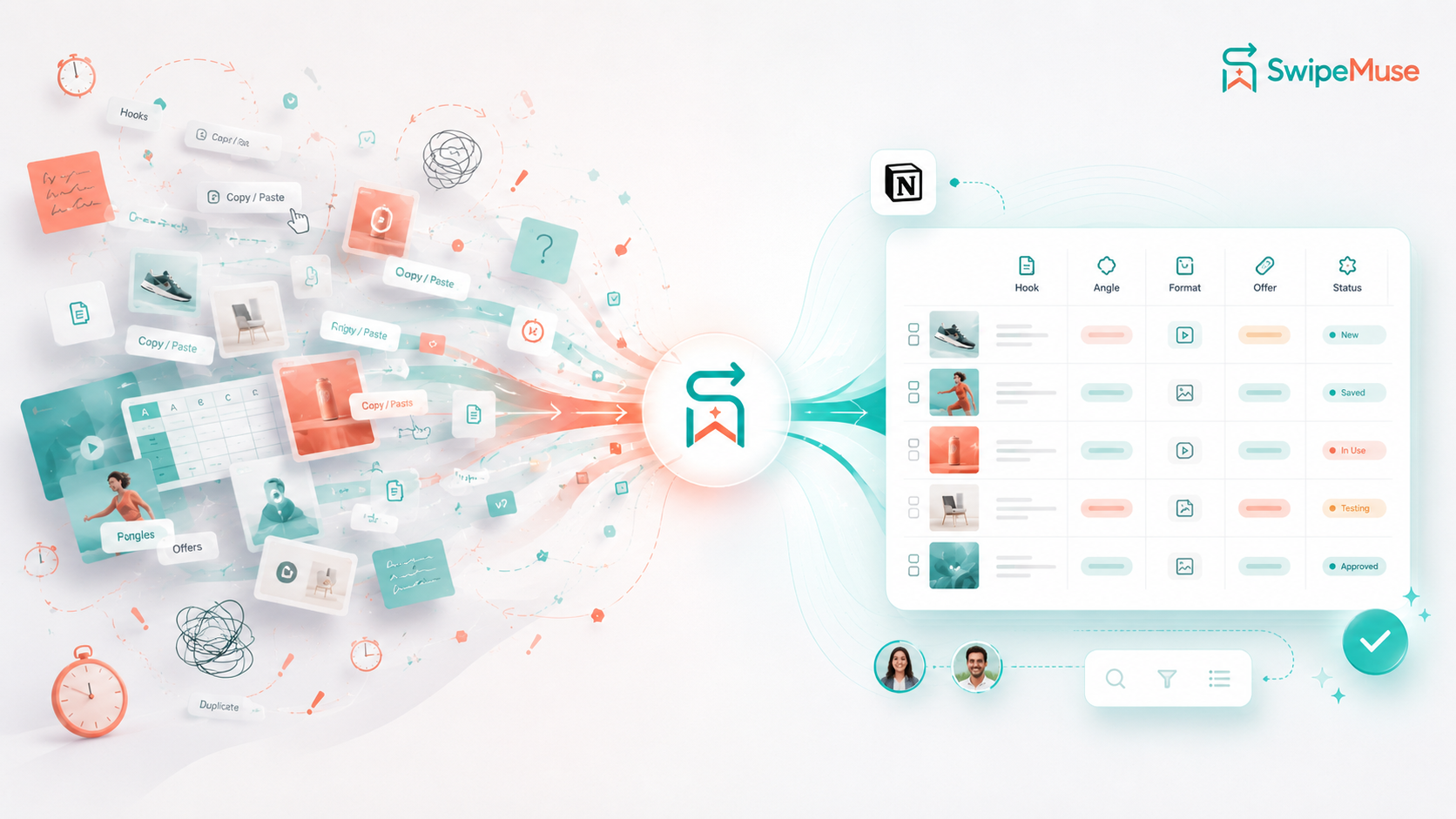
Early user research points to the same workflow loops: references lose context, screenshots pile up, and creative notes get separated from the source material.
Teams often save links during research, then return later without enough context to explain why the reference mattered or how it connected to the campaign.
Manual screenshots are easy to capture but hard to search, tag, compare, or turn into briefs when the team needs to move quickly.
Teams want their research process to stay usable inside the systems they already trust, especially when tools, budgets, or vendors change.
A simple capture flow designed to keep the source, the thinking, and the next action together.
Open a permitted public ad or landing page and use the Chrome extension to save the reference and its source context.
Record why the creative matters, then add the notes, tags, hook, angle, or offer your team needs for analysis.
Send structured reference fields into your Notion workspace so the idea stays searchable and ready for briefs.
An early access Chrome extension concept connected to your own Notion Ad OS database tables.
When you choose a permitted public reference, SwipeMuse is designed to help capture source context, research notes, relevant visible fields, and the original URL without asking you to bypass platform permissions.
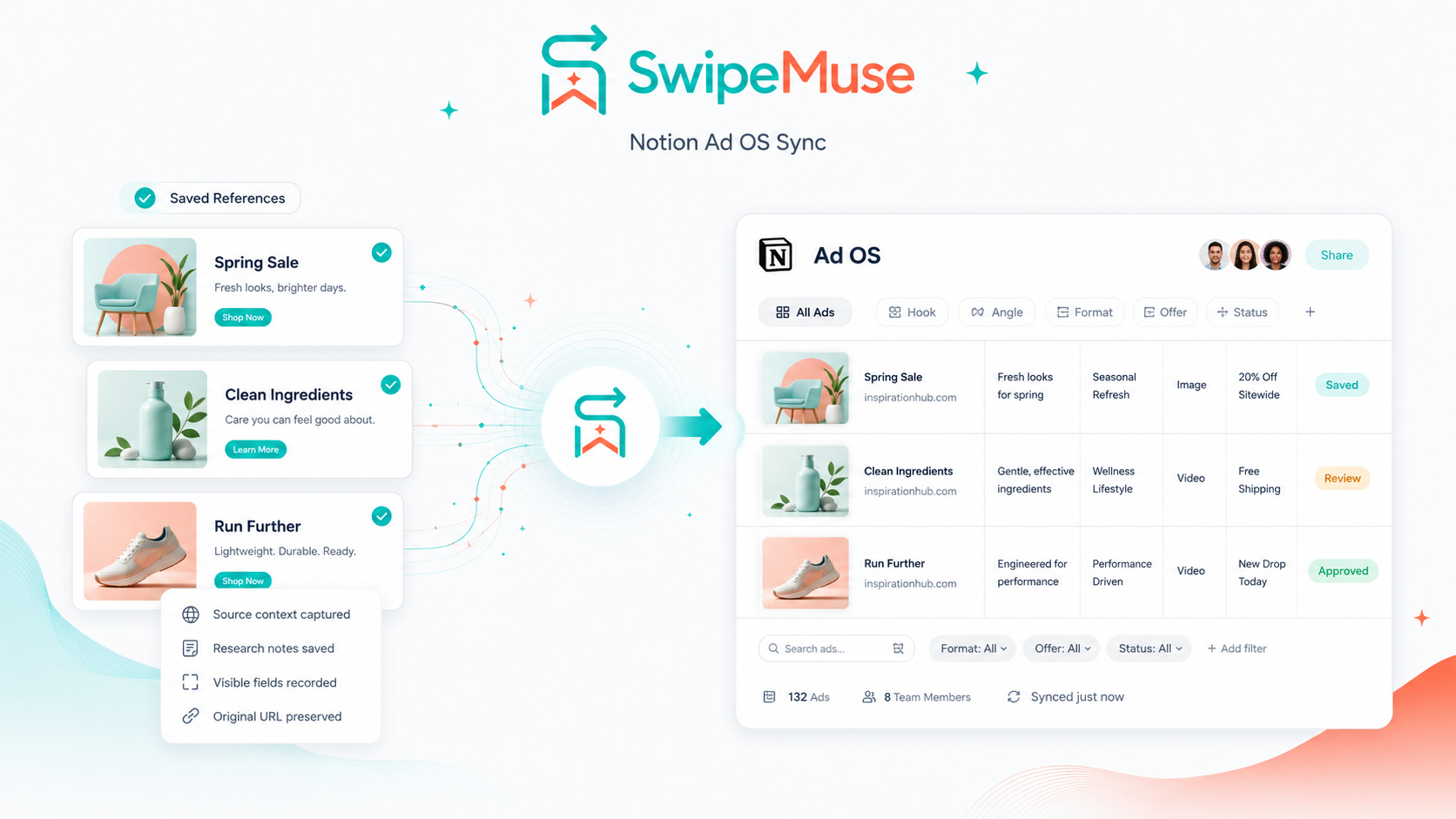
Saved references can be organized in your own Notion database with properties like Hook, Angle, Format, Offer, and status. The beta workflow is being tested for searchable, taggable team use.
Built for creative strategists, media buyers, agencies, creators, and teams that need a clearer research handoff.
SwipeMuse is designed around your Notion database so your research structure, notes, and workflow fields stay in a workspace you control. Third-party platforms and source websites may still apply their own access, retention, and usage rules.
For materials you are allowed to access and save, SwipeMuse helps capture useful reference context and visible metadata. It does not bypass paywalls, login restrictions, DRM, platform limits, or source-site rules.
Analyze how a reference connects to a public landing page funnel by saving user-initiated research notes and permitted page context for later review.
Why did you save this reference? SwipeMuse prompts you to record the reason during capture, then stores that note beside the Notion database properties so the research remains actionable.
Turn saved references and notes into brief-ready structures. Suggested fields such as hook, angle, offer, and production status help editors understand the intended creative direction.
SwipeMuse is being tested for user-directed research across public creative libraries and pages where the user has permission to access the material. Supported sources may change as platform rules and beta capabilities evolve.
Where available and permitted, SwipeMuse helps structure visible fields such as CTA, advertiser name, page language, run status, and platform indicators.
A direct comparison around the outcomes creative strategists, media buyers, and creative teams care about: finding useful references, preserving the thinking behind them, reusing research in briefs, collaborating with the team, and understanding the real cost of the workflow.
Features, public pricing, and plan limits were verified from official vendor pages on July 15, 2026.
| What users care about | SwipeMuseNotion research memory · beta | ForeplayDiscovery and research suite | DenoteAd library and swipe file | AtriaResearch, analytics and AI | MotionCreative performance analytics | Manual filesScreenshots, links and folders |
|---|---|---|---|---|---|---|
| Main problem solvedThe job the workflow is centered on | Beta direction Stop saved references from losing their reason, context, and next use inside a Notion workflow. |
Discover, monitor, save, organize, and brief from a broad ad-research suite. | Save, filter, download, and share ads across several platforms at a lower entry price. | Connect research, account data, assets, insights, and AI-assisted production. | Understand which live creatives drive results through connected performance data. | Capture references immediately without adopting or paying for another platform. |
| Finding more adsWhen the team needs a larger research pool | Not the core job. Starts from a permitted public reference the user has already selected. | Strong focus. Discovery, extension saving, expert libraries, and competitor tracking. | Strong focus. Ad Library, Ad Spy, brand tracking, and multi-platform extension saving. | Included. Research and followed brands sit beside connected accounts and assets. | Included. Competitor research supports the connected analytics workflow. | Entirely manual. Users search source platforms and collect each item themselves. |
| Remembering why it was savedResearch context available weeks later | Core product direction. Prompts are planned to keep the save reason, source, notes, and structured fields together. | Notes, tags, comments, boards, and landing-page captures can preserve context when the team adds it. | Tags, comments, boards, and saved creative data help organize context inside Denote. | AI tags, analysis, connected data, and assets add context across the production workflow. | Performance metrics, reports, and AI tags explain how a creative performed. | Depends on whether the user manually records the source, reason, and naming consistently. |
| Where daily work livesThe workspace the team must maintain | The team's Notion workspace, using a shared database structure the team can adapt. | Foreplay's vendor workspace, with external share links and workflow tools. | Denote's vendor workspace, team libraries, and public share links. | Atria's vendor workspace connected to ad accounts, research, and assets. | Motion's analytics workspace connected to live ad-account data. | Local or cloud folders plus whichever documents, chat, and project tools the team already uses. |
| Research-to-brief handoffHow saved work reaches production | Brief-ready Notion fields and templates are planned to carry the original reference and reasoning forward. | Shared boards, comments, public links, and Briefs keep research and the production request connected. | Team libraries, comments, public links, downloads, and exports support external handoff. | Insights can move into concepts, scripts, assets, and AI-assisted production in the same suite. | Dashboards and reports help teams turn performance evidence into the next creative decision. | Someone manually rebuilds the context in a document, task, message, or brief. |
| Starting costPublic entry pricing, not total cost | Early access. Final pricing and included beta scope are not yet fixed. | $59/month for Basic monthly: one user and a seven-day trial. | $19/month for Lite at the standard monthly list price. | $129/month for Core when billed annually; five seats included. | $250/month for Starter, up to $50K monthly ad spend. | $0 software fee; storage, cleanup, search, and handoff remain labor costs. |
| Main limitationThe cost or constraint users should know | Early beta scope may change; it is not a large ad-discovery database or connected performance-analytics suite. | Work lives in another vendor workspace; seats, tracking allowances, and analytics vary by plan. | Lite limits Ad Library, Swipe File, and Ad Spy usage; more volume and seats require higher plans. | Higher commitment and workflow complexity; plans vary by spend, accounts, storage, seats, and AI credits. | Value depends on connected account data; pricing increases above $50K monthly ad spend. | Fast to start but difficult to search, standardize, explain, and hand off as the library grows. |
Swipe horizontally to compare every workflow.
Comparison method: each row reflects a recurring user concern in ad research and creative handoff, not the number of features a product can claim. SwipeMuse statements describe the current beta direction, not a claim that every planned capability is already available. Vendor features, limits, promotions, and prices can change.
We are a small developer team building SwipeMuse for legitimate, user-directed ad research. We believe great products are built with early users, not just for them. Waitlist members may receive onboarding resources as they become available. Users who share specific, useful workflow feedback may be considered for professional template access, a first-year discount code, and closer beta follow-up through the email they submit.
Standard onboarding resources may be sent by email as early access materials become available. They are designed for basic swipe-file organization and early SwipeMuse onboarding.
Qualified feedback contributors may receive controlled professional template access after review. When both feedback answers are submitted, we aim to reply within 72 hours with the result and the reason behind it.
We review answers manually, may follow up through your submitted email, and may send a first-year discount code when the feedback is specific and useful. If more detail is needed, you can revise your answers for another review.
Professional delivery uses controlled access where available. SwipeMuse does not help users bypass source-platform permissions, access controls, paywalls, login restrictions, DRM, or copyright limits.